




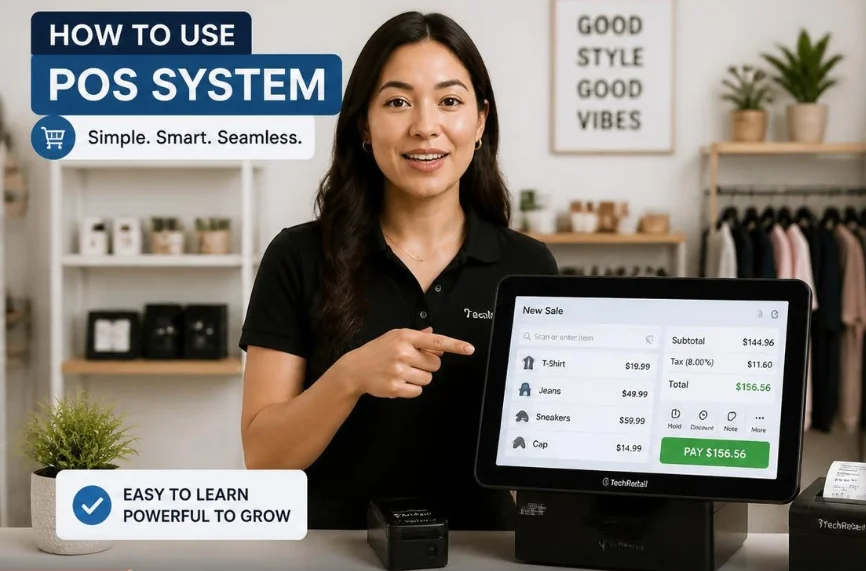
Learning how to use POS system tools becomes easier once you understand the basic checkout workflow. Most platforms guide employees through products, totals, payments, receipts, and transaction records. The exact buttons differ, but the daily process remains similar across many U.S. retail and service businesses.
A modern point-of-sale setup can also track inventory, customer information, employee activity, and sales reports. These features make the register useful beyond accepting payments. Learning each function separately helps employees work accurately without slowing the checkout line.
POS System Quick Reference
| Task | What You Usually Do |
|---|---|
| Start a shift | Sign in with your employee account or PIN |
| Begin a sale | Scan or select products and services |
| Adjust the order | Add discounts, quantities, taxes, or customer details |
| Take payment | Select cash, card, gift card, or another supported method |
| Finish checkout | Confirm approval and provide a receipt |
| Handle returns | Find the original sale and follow the refund policy |
| Check inventory | Review stock quantities and product records |
| End the day | Reconcile cash, review reports, and close the register |
Direct answer: Using a point-of-sale platform usually involves signing in, adding products, checking prices and taxes, accepting payment, and issuing a receipt. Employees should also learn returns, inventory checks, and closing procedures. Managers should configure permissions, payment settings, taxes, products, and reports before staff begin processing live transactions.
What You Need Before Using a POS

Your setup normally includes software plus compatible checkout hardware. Common equipment includes a terminal, card reader, barcode scanner, receipt printer, and cash drawer. Some businesses can run their register from a tablet or smartphone instead.
You also need an accurate product or service catalog before taking customer orders. Enter prices, product names, tax settings, inventory quantities, and available discounts carefully. Businvesty’s guide to retail pricing provides useful background when reviewing how products reach their final selling price.
How to Use a POS System: Payment processing must also be connected correctly before opening the register. When learning how to use a POS system, remember that card transactions depend on payment-processing services that transfer approved funds to the business. Businvesty also covers merchant-account concepts for owners who want to understand payment settlement better.
How to Use POS System Software in 7 Steps
The following sequence covers the basic workflow employees use during a normal customer transaction. Your provider may label individual screens differently. Staff should follow the provider’s instructions whenever its process differs from these general steps.
- Sign in to your register. Use your assigned employee account, password, or PIN rather than another worker’s credentials.
- Start a new transaction. Open a fresh sale before scanning products or selecting services from the catalog.
- Add the customer’s items. Scan barcodes, tap product buttons, or search the catalog and confirm each quantity.
- Review the order. Check prices, discounts, sales tax, quantities, and the final total before requesting payment.
- Accept the payment. Select the customer’s payment method and follow the on-screen instructions until approval appears.
- Provide the receipt. Give the customer a printed, emailed, or text receipt when those choices are available.
- Complete the transaction. Confirm that the sale closed correctly before starting the next customer’s order.
These seven actions cover the checkout process found across many modern platforms. Shopify and TechnologyAdvice describe comparable workflows involving login, item entry, payment, and receipt completion. Your business should still train employees on the exact software and hardware installed at its location.
1. Sign In and Start Your Shift Correctly
Begin each shift with your own credentials whenever the platform supports individual employee accounts. Separate logins can help managers connect transactions, refunds, and register actions with the correct worker. They also reduce unnecessary access to administrative settings.
Managers should assign permissions based on each employee’s responsibilities. A cashier may need checkout and return access without permission to change prices or business settings. Restricting sensitive actions can reduce accidental changes and make unusual activity easier to review.
2. Add Products and Check the Customer’s Order
Retail employees usually scan a barcode or choose an item from the product catalog. Restaurants and service businesses often select menu items or predefined services instead. The cart should update as products, modifiers, quantities, or services are added.
Review the cart before moving to payment. A quick check can catch duplicate scans, wrong quantities, missed discounts, or incorrect prices. Businesses should correct product records rather than repeatedly fixing the same error during checkout.
Accurate prices also make inventory and reporting data more useful. When product information changes, update the central catalog as soon as possible. That practice keeps employees from relying on memory or handwritten price changes.
3. Apply Discounts and Sales Tax
Discounts should follow your store’s written promotion rules. Employees should know which discounts require manager approval and whether multiple offers can be combined. Clear rules prevent inconsistent pricing between customers.
Sales tax deserves extra attention because U.S. requirements vary by state and locality. Configure the software using your business location, products, and professional tax guidance. Don’t assume one tax setting applies to every location or type of sale.
Staff should avoid manually changing tax settings without authorization. Managers should review configuration after changing locations, adding product categories, or expanding into new sales channels. The software can calculate configured taxes, but the business remains responsible for correct settings.
4. Accept Cash, Cards, and Digital Payments
Ask the customer which supported payment method they want to use. For card or mobile-wallet payments, select the proper option and let the connected reader handle payment entry. Avoid writing down or manually storing sensitive card information.
For cash transactions, enter the amount received and confirm the displayed change. Count the change before closing the drawer. Consistent cash procedures make end-of-day reconciliation easier and reduce avoidable register shortages.
Card payments should follow your payment provider’s security instructions. Businesses that accept payment cards also have responsibilities under applicable payment-security requirements. Owners should review their provider’s current compliance guidance rather than relying on informal shortcuts.
5. Process Returns and Refunds
Start a return by locating the original transaction whenever possible. Many platforms let employees search through receipt numbers, customer records, payment cards, or transaction history. Linking the return to the original sale creates a cleaner record.
Check the business’s refund policy before approving the transaction. Confirm the product, amount, payment method, and required manager authorization. Employees shouldn’t invent exceptions during checkout unless company policy gives them that authority.
Refund timing can differ from the original purchase process. A card refund may not appear immediately in the customer’s account. Staff should explain the expected process using information supplied by the payment provider.
6. Use Inventory and Sales Reports
A checkout platform can become a useful inventory tool when product records remain accurate. Each completed sale may reduce available stock automatically when inventory tracking is enabled. Returns and exchanges can also affect those counts.
Managers should compare digital inventory with physical quantities on a regular schedule. Differences can come from receiving errors, damaged products, theft, incorrect returns, or missed adjustments. Investigating discrepancies early produces more reliable purchasing decisions.
Inventory management is useful across many business types. For example, Businvesty’s laundromat business guide discusses monitoring supplies during daily operations. Its boba shop guide also shows how point-of-sale equipment fits within a larger operating setup.
7. Close the Register and Review the Day
Closing procedures should be consistent across every shift. Cashiers may need to count the drawer, record its ending balance, and secure cash according to company policy. Managers can then compare expected totals against the amount counted.
Review the daily sales summary before closing the business. Look for unusual refunds, voids, discounts, payment differences, or cash discrepancies. Small problems become easier to investigate when they are found on the same day.
Keep reports according to your accounting and recordkeeping procedures. Your bookkeeping process may also need payment deposits reconciled against bank activity. Organized records make it easier to explain differences between checkout totals and deposited funds.
Common POS Mistakes New Employees Should Avoid
New employees often focus on speed before they understand the workflow. Accuracy should come first because incorrect quantities, discounts, and payment selections create extra work later. Speed normally improves after the employee repeats the correct process.
Watch for these common mistakes:
- Sharing employee passwords or login PINs.
- Scanning the same item twice.
- Skipping the total review before collecting payment.
- Applying unauthorized discounts.
- Choosing the wrong payment method.
- Opening the cash drawer without a valid reason.
- Refunding an order without checking store policy.
- Ignoring low-stock warnings.
- Forgetting to close or reconcile the register.
Managers can reduce these errors with short practice transactions before an employee serves customers. Training should include a normal sale, cash payment, card payment, return, discount, and canceled transaction. Employees should also know whom to contact when the software displays an unfamiliar error.
How Long Does It Take to Learn a POS?
Basic checkout functions can often be learned quickly because most modern interfaces guide users through each transaction. More advanced responsibilities require additional practice and permissions. Inventory adjustments, reporting, refunds, and administrative settings usually require separate training.
Training time also depends on the business itself. A small store with a limited catalog may be easier than a restaurant with modifiers and multiple order types. Multi-location retailers can require more detailed procedures for inventory, customer records, and employee roles.
Create a written checklist for the tasks each position must learn. Let employees practice in a training mode when the software provides one. Test common problems before allowing independent access to sensitive functions.
Tips for Using a POS More Efficiently
Good configuration can save more time than asking employees to move faster. Put frequently sold products where cashiers can find them quickly. Remove old catalog entries that create confusion during busy periods.
Use consistent product names, categories, and pricing rules throughout the catalog. Review popular products and common corrections in sales reports. Repeated checkout errors often point to a configuration or training problem.
Managers should also update procedures when the business changes. New promotions, locations, payment methods, and product lines may require updated training. Treat the register as an operating system for the business, not merely a digital cash drawer.
Final Takeaway
Learning a checkout platform is mainly about following the same accurate process every time. Start with login, product entry, total review, payment, and receipt handling. Add returns, inventory, reports, and closing procedures after those basics become familiar.
Business owners should configure the software before expecting staff to use it confidently. Clear permissions, accurate prices, correct tax settings, and written policies reduce avoidable mistakes. A short training checklist can turn the register into a dependable daily business tool.
For Businvesty readers running a U.S. small business, the next step is simple. Document your checkout workflow and test it with several practice transactions. Then train every employee on the same process before giving them independent register access.
FAQ About How to Use POS System Tools
How do you process a basic POS transaction?
Sign in, start a sale, and add the customer’s products or services. Confirm quantities, prices, taxes, and discounts before selecting the payment method. Complete the payment and provide the customer with a receipt.
Is a POS hard to learn?
Basic checkout functions are usually straightforward after some guided practice. The employee needs to understand the store’s products and policies as well as the software. Advanced reporting and administrative tasks may take longer to learn.
Can a POS track inventory automatically?
Many platforms can reduce recorded inventory when products are sold. Accurate results still depend on correct product setup, receiving, returns, and stock adjustments. Physical counts remain useful for finding discrepancies.
What should employees do when a card payment fails?
First, read the message shown by the terminal without guessing the cause. Follow the payment provider’s approved troubleshooting steps or ask for another supported payment method. Employees should never bypass security controls to force a transaction.
What happens at the end of a POS shift?
Employees commonly close their register session and reconcile cash where applicable. Managers may also review sales, refunds, discounts, and payment totals. Exact closing procedures depend on the platform and the business’s accounting controls.
